
Is Your Android Phone Really Disorganized?
Most people think their phone is messy, chaotic, or distracting. Too many apps, too many notifications, too many updates to check. But here is the truth — your notifications are not disorganized. They are scattered. And that scattering costs you time, focus, and productivity every single day.
👉 The average Android user receives 65–80 notifications per day. Most are dismissed or forgotten before being acted on — including important OTPs, delivery updates, and banking alerts.
The Real Problem: Notifications Are Everywhere
Think about your typical daily routine on Android. You receive notifications from dozens of sources — all at different times, all demanding immediate attention.
Constant app switching is one of the biggest hidden productivity killers on Android. Worse — many critical notifications get cleared before you have time to review them. That missed OTP. That delivery time slot. That payment confirmation. Gone forever — unless you have NotiVault.
- Important bank OTP dismissed accidentally
- Delivery notification cleared before reading the time slot
- WhatsApp message dismissed, unable to find it later
- Meeting reminder missed while phone was on silent
- No way to search through old notification history
What Is a Notification History App?
A notification history app automatically captures and stores all your incoming notifications in one organized place — before they disappear from your status bar. Instead of opening multiple apps repeatedly, you simply open the app and browse a complete, searchable timeline of every alert your phone has received.
- Track all important updates in one dashboard
- Find any missed or dismissed notification instantly
- Recover accidentally cleared alerts and OTPs
- Stay organized without constantly checking every app
- Search through notification history by keyword or app
Meet NotiVault: Best Notification History App for Android
NotiVault: Notification History App creates a central timeline where you can review your complete notification history anytime — even days or weeks after the original notification appeared. It works silently in the background, stores everything locally on your device with no cloud uploads or data sharing.
Auto Save Notifications
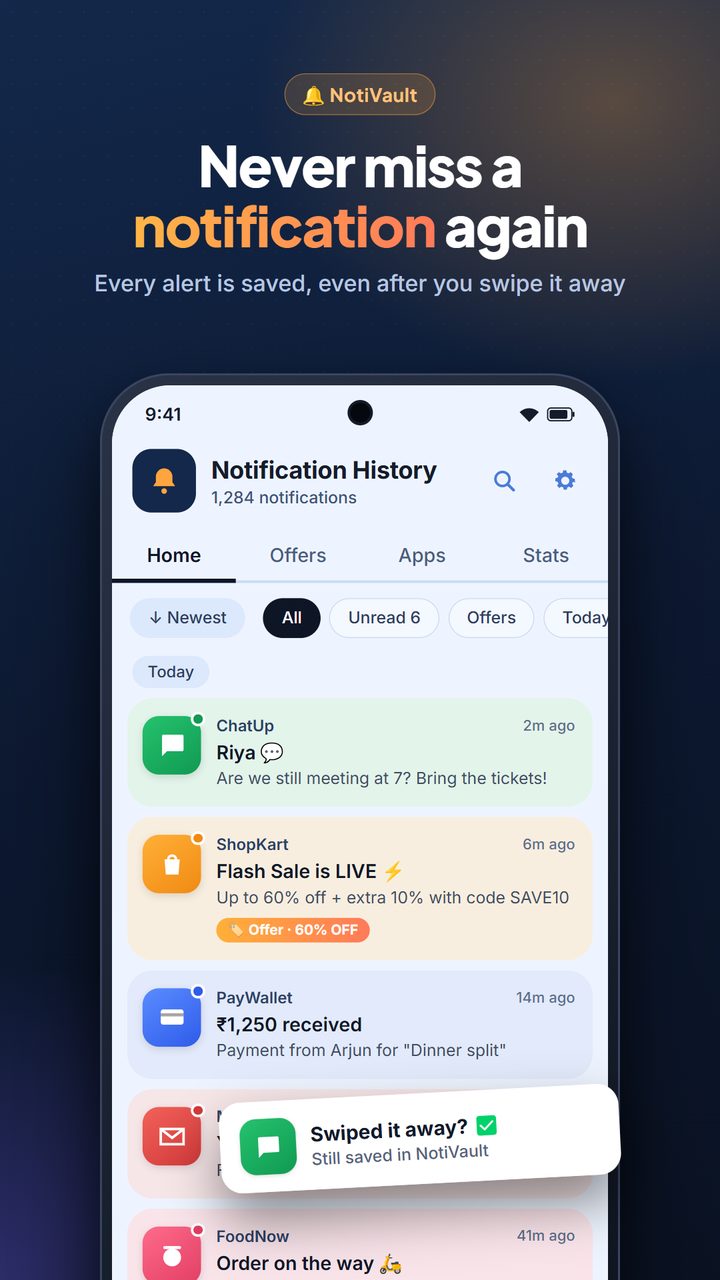
Captures every notification as it arrives, before you can dismiss it.
Global Search
Find any notification instantly by keyword, app name or message content.
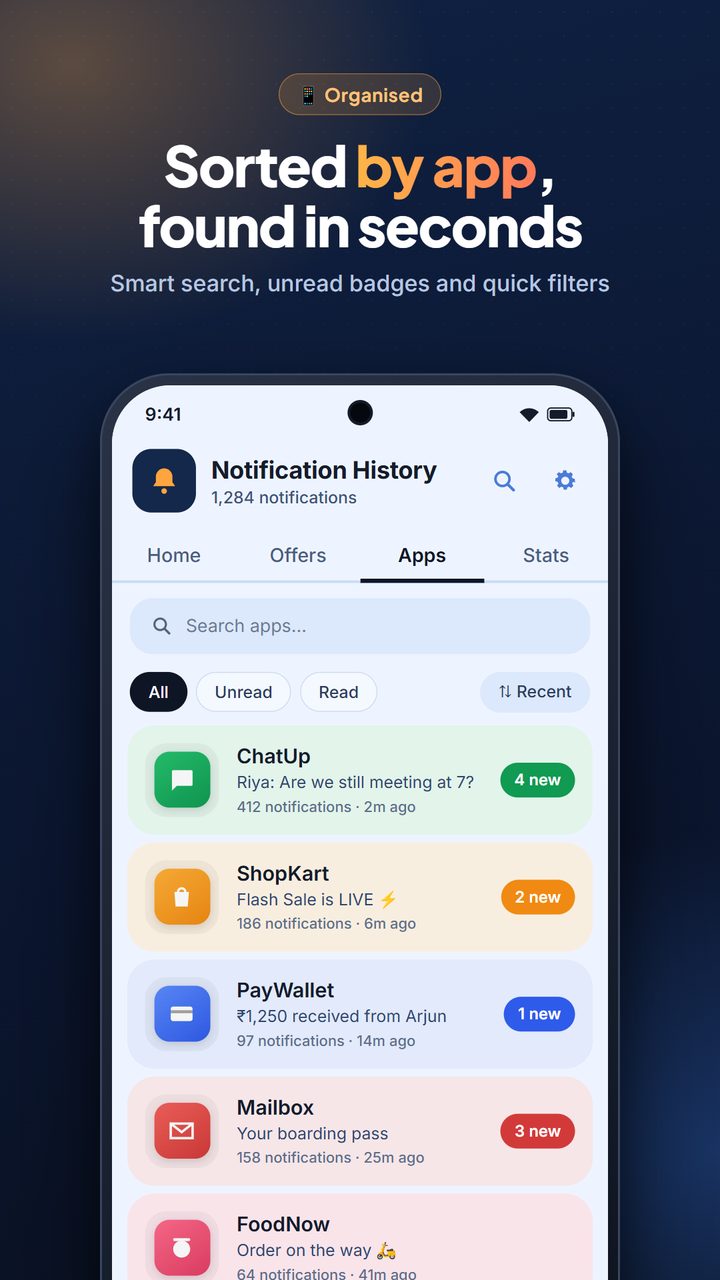
Organized by App
Notification history sorted neatly by source app and timestamp.
Auto Clean
Set automatic deletion for notifications older than 7, 15, 30 or 60 days.
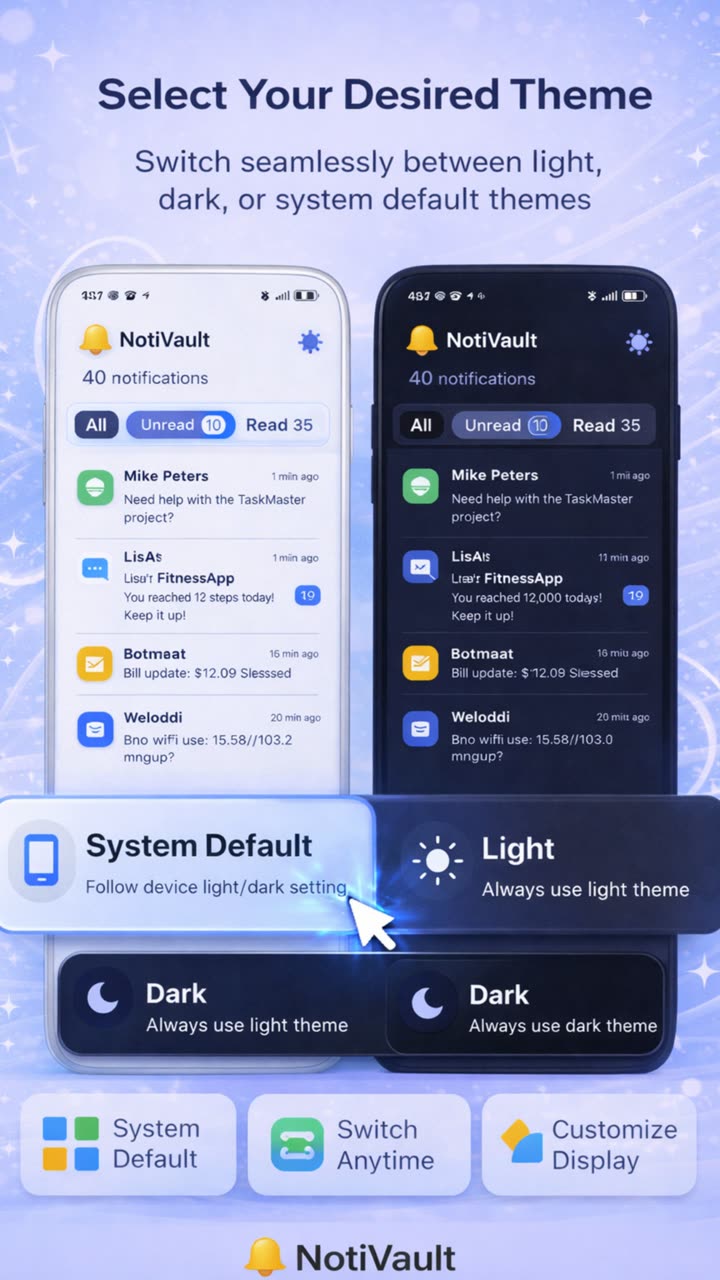
Light & Dark Theme
Beautiful light, dark or system-default theme to match your preference.
Multi-Language
Supports English, Hindi, Punjabi, Marathi, Tamil, Telugu & more.
Recover Deleted Notifications and Missed Messages
NotiVault uses Android's Notification Listener Service to capture notifications at the moment they arrive. Even if you swipe away a notification immediately, NotiVault already has a record of it stored safely on your device.
- 🏦Bank OTPs — Recover verification codes you accidentally dismissed during a transaction.
- 📦Delivery notifications — Find delivery time slots and tracking numbers you cleared too fast.
- 💬Messages — Retrieve previews of messages from WhatsApp, SMS or other apps.
- 📅Reminders & alerts — Find calendar alerts and app reminders you missed while busy.
Try NotiVault Free Today
Join Android users who never miss an important notification. Free on Google Play.
Save Time Every Day with One App
The biggest advantage of NotiVault is not just storing notifications — it is reducing friction. Every time you switch between apps, search for a message, or look for an OTP, you spend time and mental energy. NotiVault simplifies this by keeping everything in one place.
💡 Think of NotiVault as a DVR for your notifications. Just like a DVR records TV shows you miss, NotiVault records every notification so you can review it on your schedule, not your phone's.
Who Should Use NotiVault?
- 💼Professionals who receive high volumes of work notifications and cannot afford to miss important updates.
- 🏦Online banking users who frequently receive OTPs and transaction alerts on their Android device.
- 🛍️Online shoppers who want to track delivery notifications and order updates in one place.
- 🔒Privacy-conscious users who want local-only storage with no cloud data upload.
Frequently Asked Questions
Yes. NotiVault automatically saves all incoming notifications so you can view them anytime — even days or weeks after they were received. Simply open the app and scroll through your complete notification history.
Yes. If NotiVault was running when the notification arrived, it will have captured and stored it locally on your device. You can find it in your notification history log anytime after, even after you cleared it from the status bar.
Yes. Once you grant the Notification Listener permission during setup, NotiVault runs silently in the background and automatically records every incoming notification without any manual action required.
Yes. NotiVault is completely free to download on Google Play Store. All core features including notification history, global search, recovery, and multi-language support are available at no cost.
Absolutely. All notification data is stored 100% locally on your device. NotiVault has no servers and never uploads any of your notification data to the cloud. Your privacy is fully protected.
Stop Missing Important Notifications
Download NotiVault free — no account required, no cloud storage, just your notifications always available.