
What Are “Duo” Wallpapers?
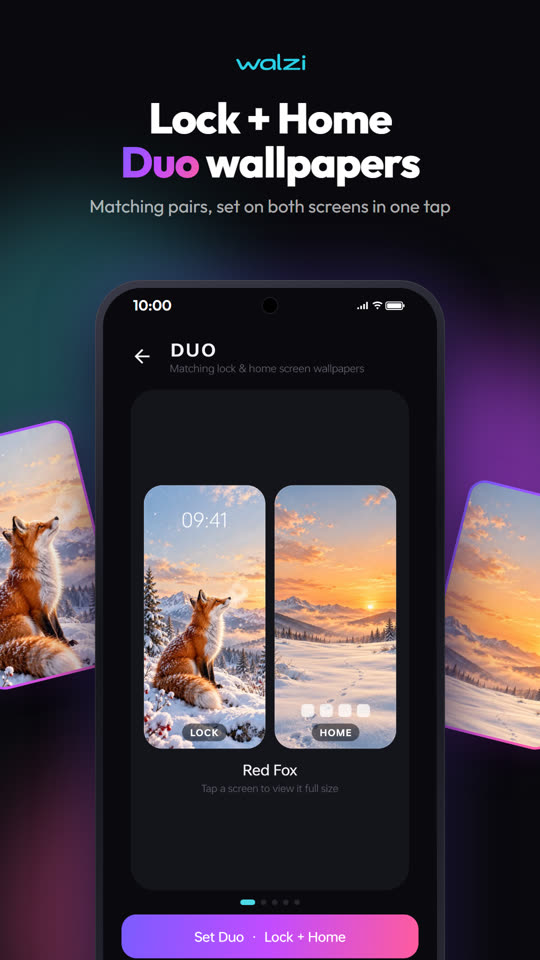
Duo wallpapers are matching pairs — designed so the story on your lock screen carries on the moment you unlock your phone. Think a rocket on the lock screen and its trail across the stars on the home screen, or a sunrise that becomes full daylight.
Method 1: Android Settings (Manual)
Most Android phones let you set different images for each screen:
- Save both images to your gallery.
- Long-press an empty spot on your home screen and tap Wallpaper & style (or Wallpapers).
- Choose the first image and select Lock screen.
- Repeat with the second image and select Home screen.
⚠️ The hard part is finding two images that truly match — same colours, same style, aligned so the transition looks natural. Random pairs usually look disjointed.
Method 2: Walzi Duo Sets (One Tap)
Walzi includes ready-made Duo sets created as pairs from the start.
- Install Walzi free from Google Play.
- Open the Duo section and pick a set you like.
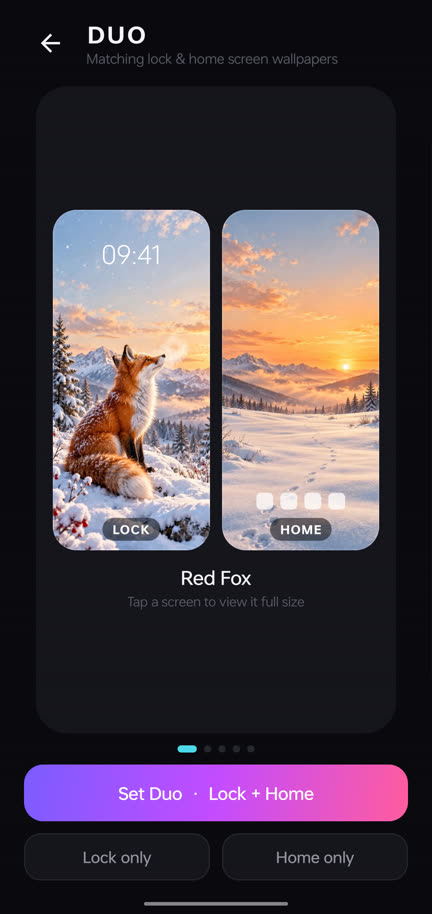
- Preview the lock-screen and home-screen halves together.
- Tap Set both — or apply only the lock or home image.
Design Tips for a Great Setup
- 🕐Keep the top of the lock screen calm so the clock stays readable.
- 📱Use a darker or blurred home screen so app icons and widgets stand out. Walzi's dim and blur sliders help here.
- 🎨Match your theme. Android 12+ Material You picks accent colours from the wallpaper — a Duo set gives a consistent palette everywhere.
- 🧩Fewer icons, more wallpaper. Move apps to the drawer and keep one row on the home screen to show off the art.
Ideas for Duo Pairs
Frequently Asked Questions
Can I set a different wallpaper on the lock screen and home screen?
Yes. Almost all Android phones let you choose Lock screen, Home screen or Both when applying a wallpaper.
What is a Duo wallpaper in Walzi?
A Duo is a matching pair — one image for the lock screen and one for the home screen, designed to go together. You can set both in one tap.
Why does my wallpaper look zoomed or cropped?
Some launchers add a parallax zoom. Use Walzi's position control in the preview, or disable wallpaper scrolling or zoom in your launcher settings.
Will setting a lock screen wallpaper change my theme colours?
On Android 12 and newer, Material You may pick colours from your home wallpaper. A matching Duo set keeps those colours consistent.
Try Duo Wallpapers Today
Matching lock + home screen pairs, set in one tap. Free on Google Play.

Written by Kamal Kakkar
Founder of Yunok Tech and Android developer with 10+ years of experience at Nagarro and KareXpert, building apps for the healthcare and banking domains. Kamal also teaches Kotlin & Jetpack Compose.
LinkedIn → Medium → Android Course →